New Solo Project
-
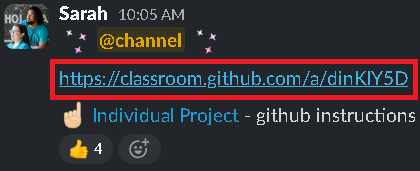
Click the GitHub classroom link sent by instructors.
-
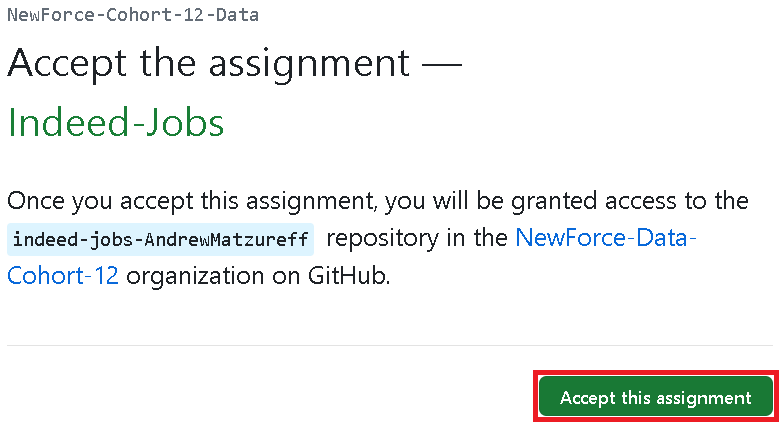
Accept the assignment invitation.
-
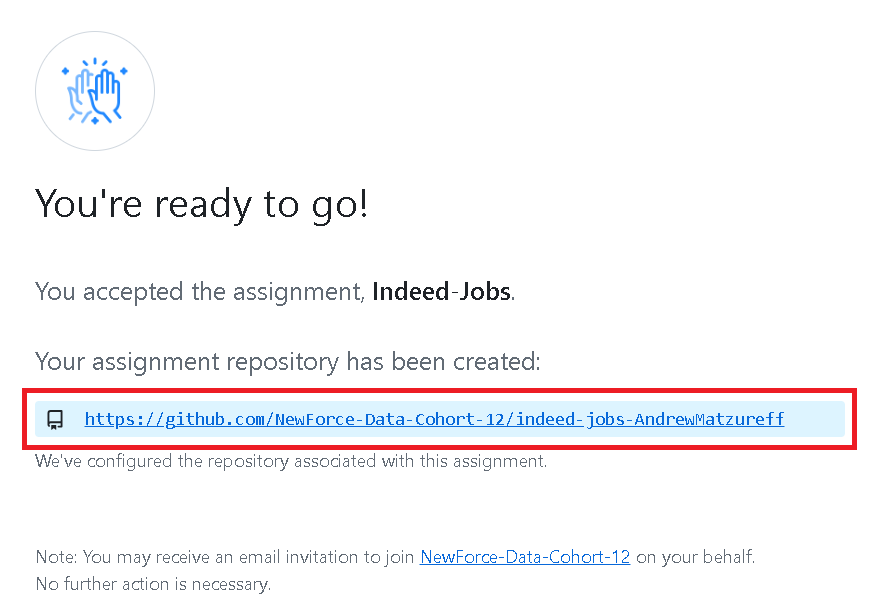
Click the link to visit the newly created repository.
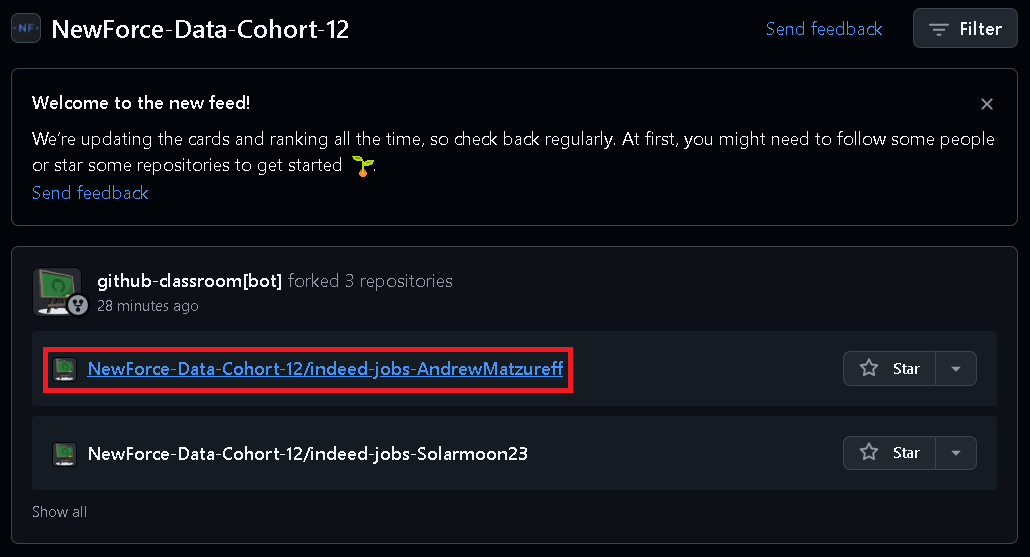
Alternatively, if you no longer have access to the generated repository link, then you can locate it by visiting the NewForce organization dashboard for our cohort. To visit the dashboard navigate to github.com, click the button with your GitHub username in the upper left of the page and then select “NewForce-Data-Cohort-12”.
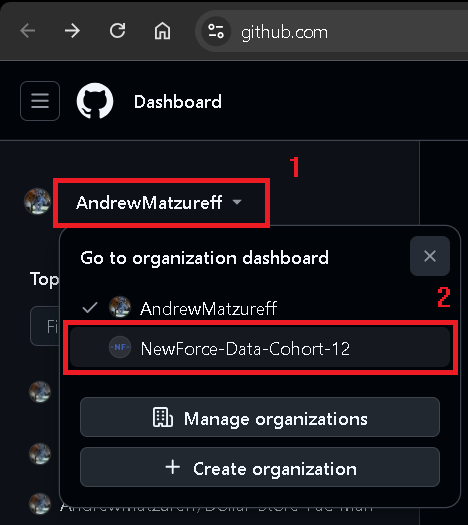
Your repo should show up among the recently forked repos.
-
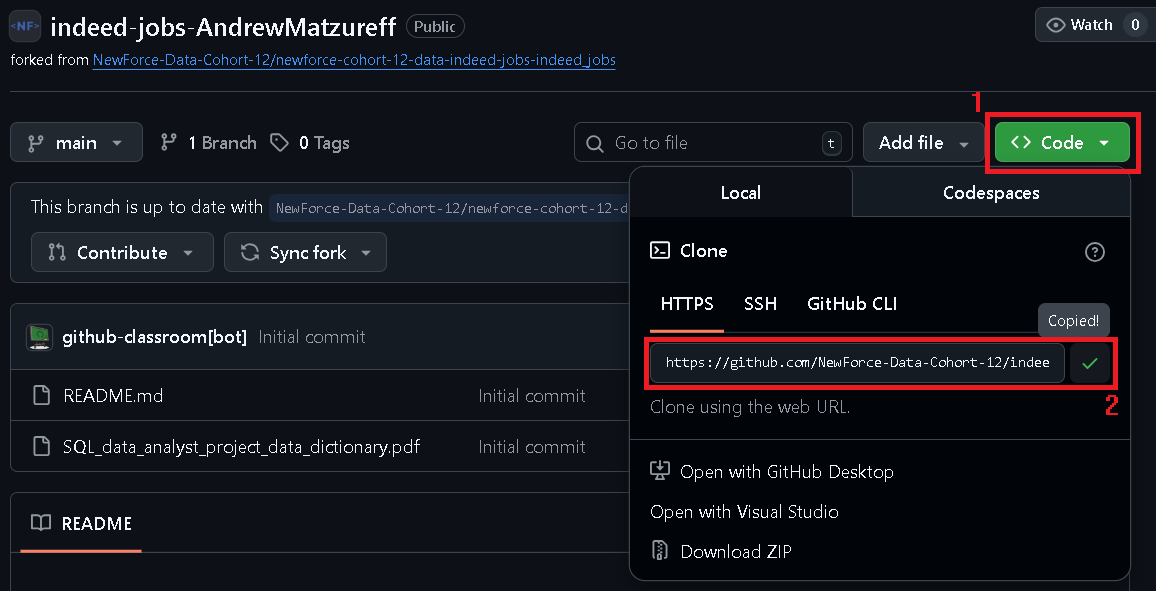
After navigating to your project repo copy the link you’ll use to clone the remote repo into your local workspace.
-
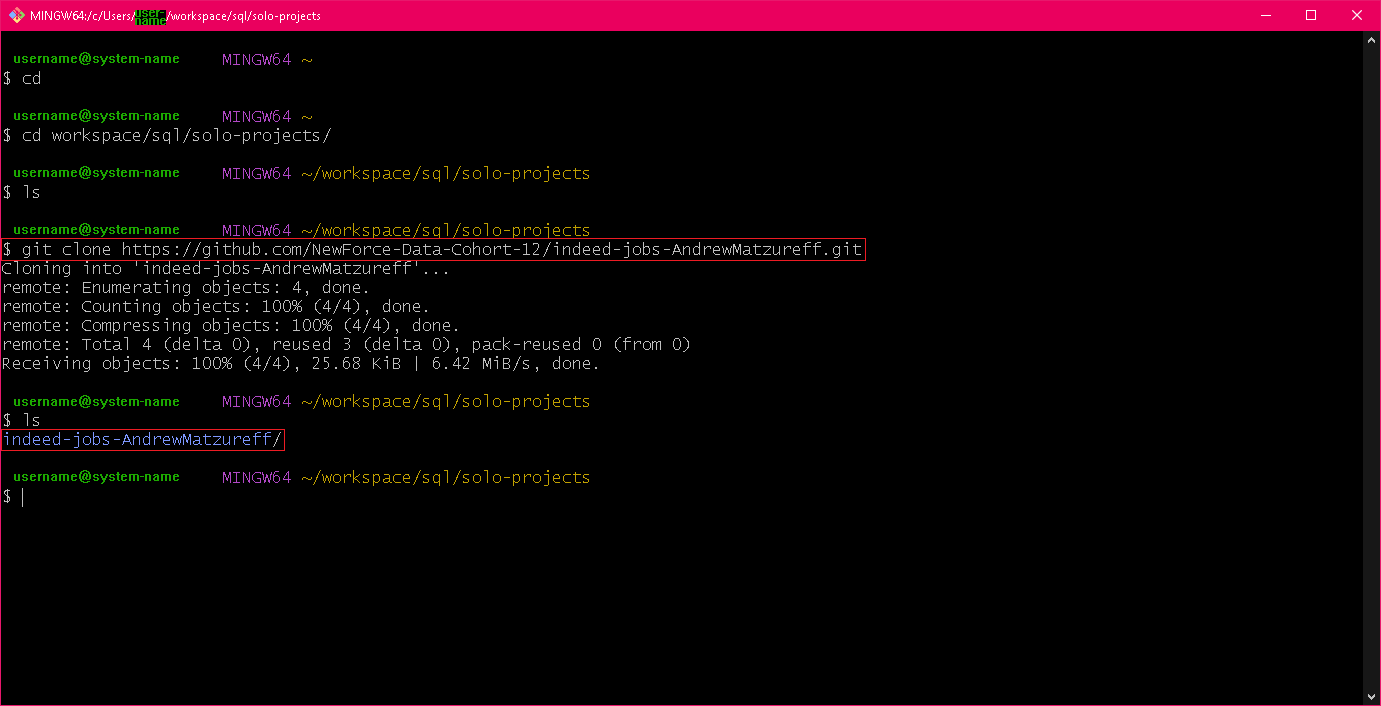
Using Git Bash or your terminal of choice navigate to the folder within your workspace in which you want the folder containing your local repo to exist. After this step you can then “
cd” into the new folder created by “git clone” to house your local repo and then get started!
Looking for another SOP?
- Visit: NewForce SOP Index